Most founders don’t miss timelines because the team can’t build.
They miss timelines because the plan keeps changing mid-build. The scope expands. New stakeholders join. One more workflow gets added “just to be safe.” Then the MVP turns into a half product that takes twice as long and teaches you half as much.
If you are asking how long does it take to build an MVP, the honest answer is that the timeline is mostly a scope decision. A focused MVP built around one user and one job can move quickly. The moment you add multiple workflows, complex integrations, and lots of approvals, the timeline stretches fast.
This guide will give you a realistic breakdown of what takes time, what usually slows teams down, and how to plan an MVP timeline without guessing. You will also see simple ranges by phase, so you can set a date that holds up in the real world.
A typical MVP takes 8 to 12 weeks for a focused first version. It can take 3 to 4 months when you include planning, design, testing, and the back-and-forth that happens before launch. The biggest driver is scope. One core workflow ships faster than two or three workflows packed into the first release.
What a Realistic MVP Timeline Looks Like
The easiest way to plan is to stop treating the build like one big block of work. A realistic MVP timeline is usually a few short phases, each with a clear output. That makes it much easier to spot where time gets lost and where scope starts creeping in.
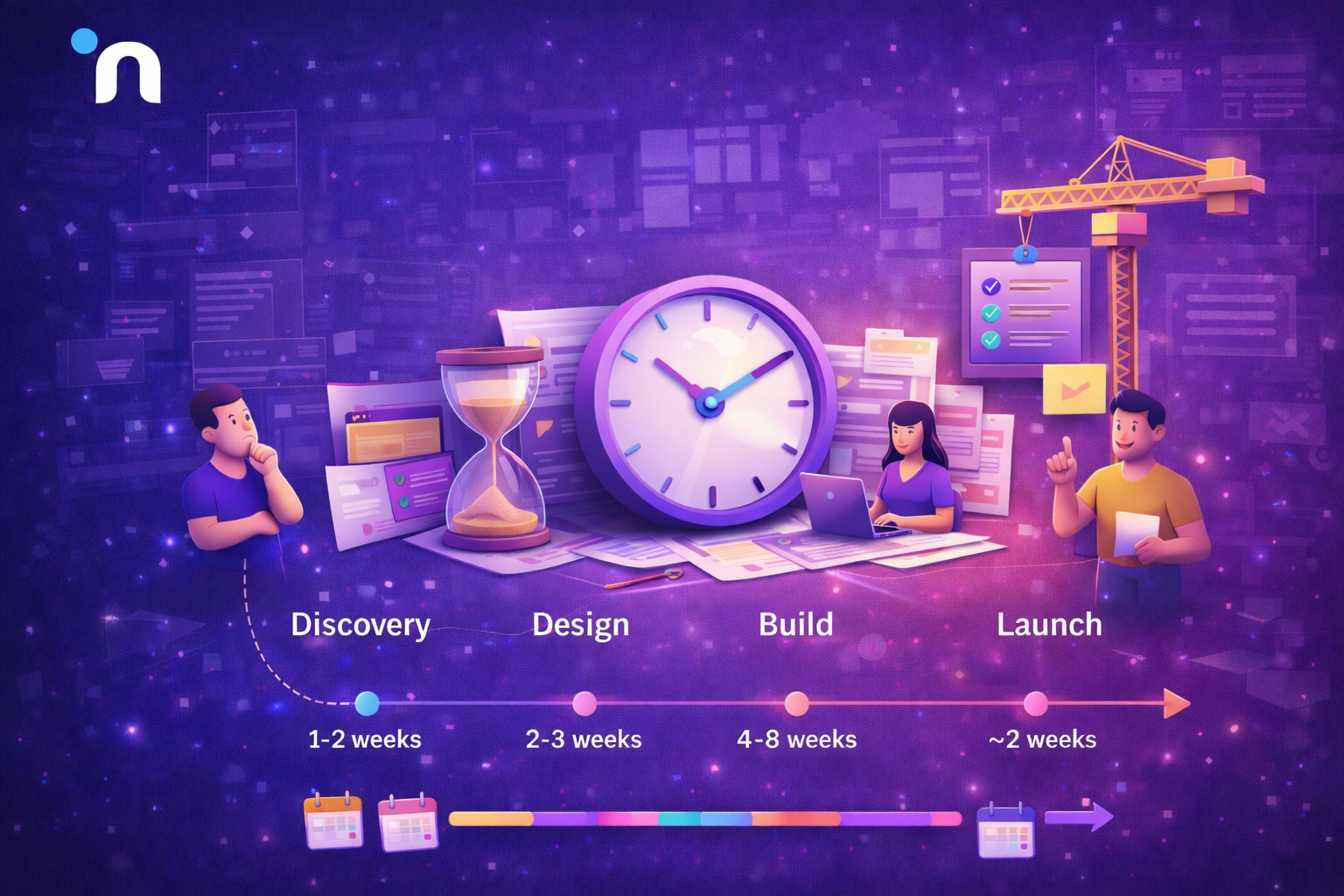
1. Phase 1: Discovery and Scope
This is where you define the user, the one job you are solving, and what is in the first release. The output should be simple. One page scope, a basic flow, and one success signal. Many teams handle this in about 1 to 2 weeks when they keep decisions tight. This is also where choosing between a prototype, proof of concept, and MVP keeps the first version from turning into three different projects.
2. Phase 2: UX and UI
This phase maps the main path and designs only the screens tied to it. The goal is clarity, not a full design system. A common range is about 2 to 3 weeks, depending on how many screens you actually need.
3. Phase 3: Build
This is the core implementation of one workflow end-to-end, plus basic tracking and the few must-have pieces needed for it to work reliably. In most teams, this is where the MVP development timeline swings the most, because complexity and integrations change everything. Many guides put core development in the 4 to 12 week range.
4. Phase 4: Testing and Launch
This is where you fix the trust breakers, test the core flow, and release to a small group so you can observe real usage. A typical range is 1 to 2 weeks, often longer if the scope is bigger than intended.
MVP Timeline at a Glance
If you are asking how long does it take to build an MVP, it helps to start with a planning range based on complexity. The real difference is not “how fast your team codes.” It’s how many workflows you are trying to ship, how many integrations you depend on, and how much testing you need before real users can trust it.
| MVP Type | What It Usually Includes | Typical Timeline |
| Simple MVP | One core flow, minimal integrations, basic tracking | 4 to 6 weeks |
| Standard MVP | One clear workflow plus essential supporting pieces like onboarding and basic QA | 8 to 12 weeks |
| Complex MVP | Multiple workflows, heavy integrations, AI, compliance or higher QA needs | 3 to 6 months |
A simple way to use this is to pick the smallest row that matches your first release, then plan your date around that range instead of the “best case” in your head. If your current plan includes multiple workflows or several integrations, treat it like a longer MVP development timeline, even if the product sounds small on paper, because complexity usually shows up during testing and edge cases, not in the first week of building.
What Makes an MVP Take Longer
If you’re wondering how long does it take to build an MVP, the timeline usually has less to do with speed of coding and more to do with hidden complexity.
Most founders plan an MVP as if it’s a straight sprint from idea to launch. In reality, time gets eaten by decisions, rework, and edge cases that only show up once the product touches real constraints. That is why two teams can build “the same MVP” and still end up with totally different timelines. One team has one workflow, one decision-maker, and early user feedback. The other has three workflows, scattered approvals, and late changes.
A practical way to predict your timeline is to look for things that create branching. Extra personas, extra states, extra integrations, and extra approval loops all multiply the work because they multiply testing and coordination. If you want a timeline that holds up, you need to plan for the real shape of the work, not the optimistic version of it.
These are the factors that quietly add weeks.
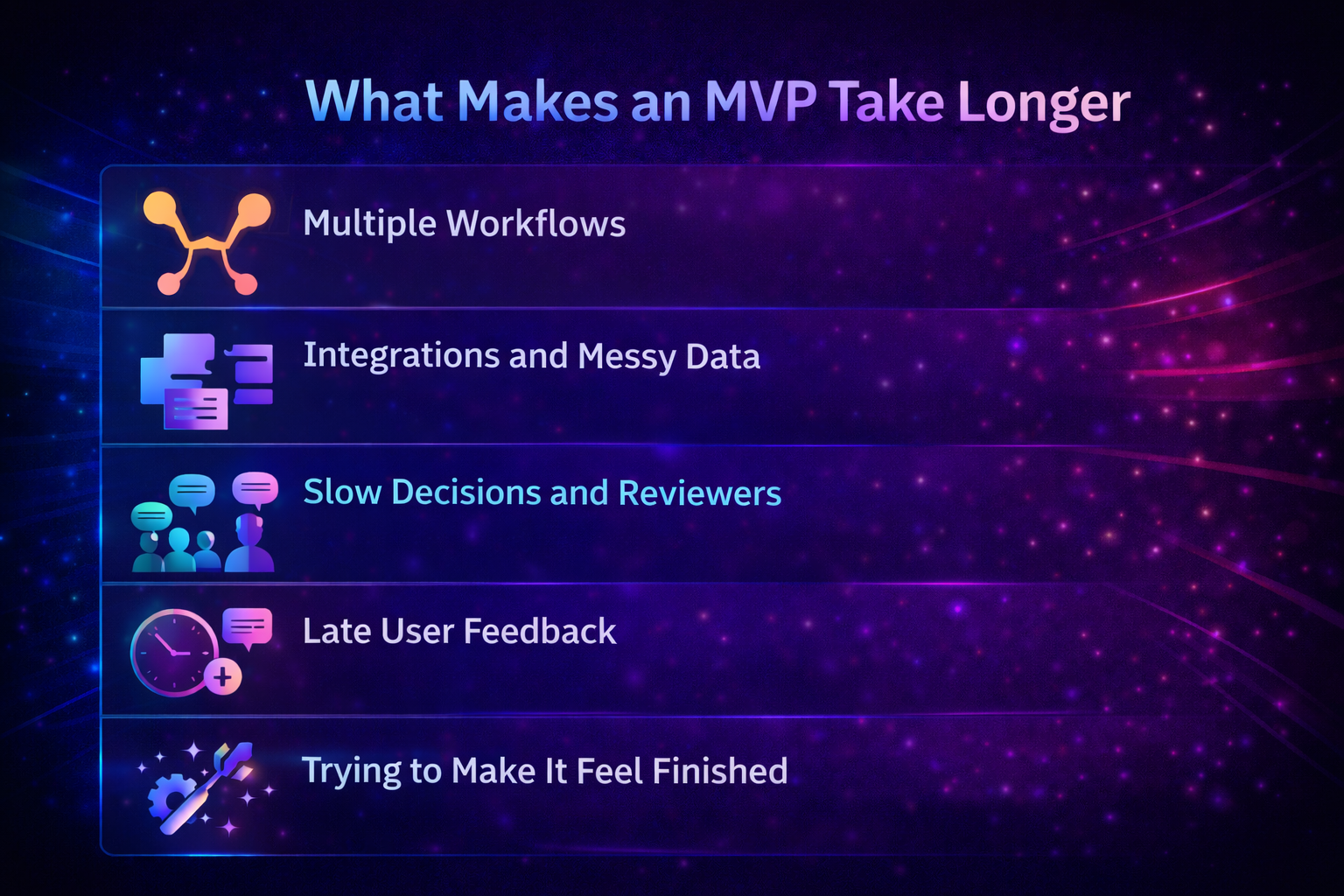
1. Scope that Includes Multiple Workflows
One workflow is a straight line. Two workflows create branches, edge cases, and extra screens. Three workflows start to behave like a full product. This is exactly why your MVP development timeline can balloon even when the feature list looks small on paper.
A simple rule that helps is this:
If a feature supports the main job, it belongs now.
If it supports a second job, it waits.
Most teams lose weeks when the first release quietly grows into a full product, and the easiest way to prevent that is by keeping the first version focused and measurable from the start.
2. Integrations and Messy Data
Timelines stretch fast when you depend on third-party systems, permissions, unreliable APIs, or inconsistent data. This is also why estimates for how long to build an MVP often miss, because integration work hides surprises until you test with real data and real access. Even “simple” integrations turn into time sinks when you hit rate limits, webhook issues, access problems, or formats that do not match assumptions.
3. Slow Decisions and Too Many Reviewers
A build can move quickly and still miss a deadline if approvals lag. The usual causes are unclear ownership, too many people weighing in, and feedback arriving late. If you want speed, decide who has the final call for scope and product decisions before work starts.
4. Feedback Arrives After the Build is Mostly Done
When users see the product too late, you do rework on the parts that take the longest to change, flows, logic, and onboarding. Early check-ins with realistic testers reduce rework more than any “faster development” trick.
5. Trying to Make it Feel Finished
A lot of time goes into polishing features that do not change adoption. Dashboards, settings pages, roles, advanced customization, and secondary flows often add weeks without changing the outcome. Pendo’s feature usage research is a useful reminder here; it found that 80% of features in the average software product are rarely or never used.
The Fastest Way to Shorten Your MVP Timeline Without Cutting Quality
Shortening an MVP timeline is rarely about pushing developers harder. It’s about removing the work that does not change learning, and tightening the parts that create rework. The goal is to get to real usage sooner, with fewer surprises during testing and fewer late changes that force you to rebuild core flows.
Here are the levers that consistently save weeks.
1. Choose One User and One Job
Most timeline blowups start with “we can support two types of users” or “we can include one more workflow.” That creates branching everywhere, screens, logic, permissions, edge cases, and QA. Pick one user and one main outcome, then ship that first. You can expand once you have proof, not before.
2. Build the Core Path First
Treat the core path like a straight line from first touch to first value. Build that line fully before touching secondary pages. This usually means:
- onboarding that gets the user to action quickly
- The main workflow end-to-end
- confirmation or output that proves value
Once the core path works, everything else becomes easier to prioritize.
3. Delay Nice-to-Have Features on Purpose
Dashboards, advanced settings, roles, customization, and secondary workflows often feel like “professional” work, but they rarely change, whether users adopt the product. Cutting them early is not cutting quality. It is protecting learning. A simple test helps. If users can reach the first value without it, it does not belong in version one.
4. Create Fast Feedback Loop from Week One
The fastest teams show something usable early, even if it’s rough, and then tighten it based on what real testers do. This reduces rework because issues surface while the product is still flexible. The slowest teams wait until the end to get feedback, then discover the core flow is wrong.
5. Keep Decisions Tight and Ownership Clear
Timelines slip when scope decisions have no owner. Pick one person who can make final calls quickly. Without that, approvals become the bottleneck, and the build gets paused for meetings instead of moving forward.
6. Use a Weekly Release Rhythm
A weekly rhythm forces clarity. You ship, observe, fix friction, and repeat. It also prevents the common trap where the team keeps building for weeks without learning anything, then realizes the product needs a major change that resets the MVP development timeline.
A Simple Planning Framework You Can Use Today
If you want a timeline that holds up, you need a plan that forces clarity early. This quick framework is designed to do that without turning planning into a multi-week exercise. The goal is to define what you are building, what success looks like, and what you are deliberately not building yet.
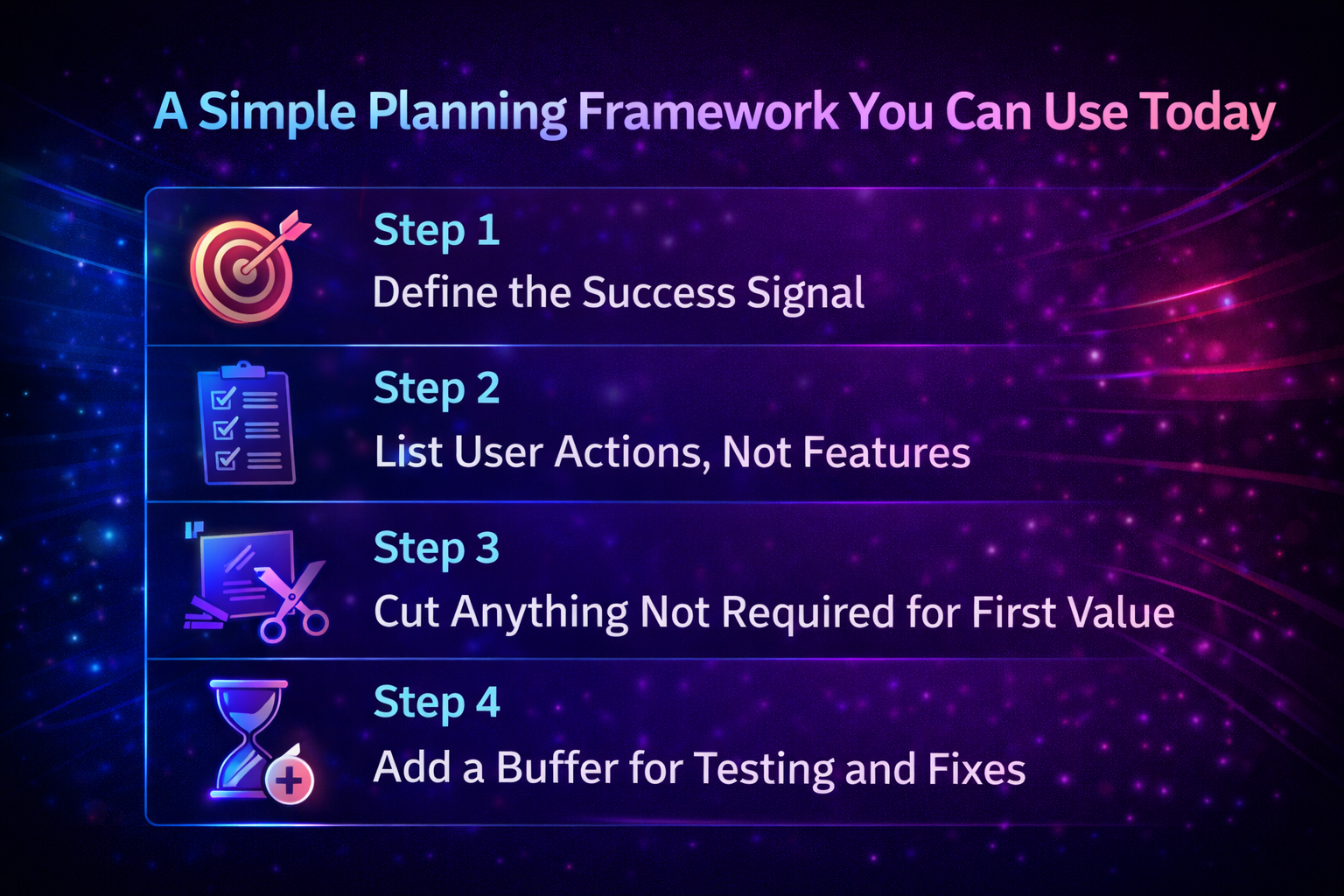
Step 1: Define the Success Signal
Pick one signal that proves the MVP is working. Examples include completion of the core action, return usage within 7 to 14 days, or a request to pay. When the signal is clear, scope decisions become easier.
Step 2: List User Actions, Not Features
Write the actions a user must take to reach the first value. This keeps the team aligned on flow instead of debating feature lists. For example, sign up, add data, complete the core task, and see the outcome.
Step 3: Cut Anything Not Required for First Value
Now mark what is required versus what is helpful. If the user can reach the first outcome without it, it goes into the latter. This is the simplest way to protect your MVP development timeline from creeping scope.
Step 4: Add a Buffer for Testing and Fixes
Most MVP plans ignore the reality that the final stretch includes bugs, edge cases, and small UX fixes that matter a lot. Add buffer time so the deadline survives contact with real testing, especially when you are estimating how long to build an MVP.
Quick Checklist Before You Confirm to a Date
Before you promise a launch date, do a quick reality check. If you are estimating how long it takes to build an MVP, these checks help you avoid the most common surprises that turn weeks into months.
- Scope fits one workflow end-to-end
- One owner can make final scope decisions quickly
- The core action and success signal are defined
- Tracking for key actions is planned
- Integrations are confirmed with real access and real constraints
- A small launch group is ready for testing and feedback
- Buffer time is included for fixes and edge cases
Conclusion
If you are asking how long does it take to build an MVP, a realistic answer depends less on development speed and more on scope and decisions. A focused MVP built around one user and one job often lands in weeks, not months, because it avoids branching workflows and heavy rework. The moment you try to support multiple paths, complex integrations, or lots of approvals, the timeline stretches fast. Plan in phases, define the success signal early, and protect the core path to first value. If you want help turning a rough idea into a tight build plan, Novura can support scoping and delivery so your first release teaches you something real.
FAQs
Q1. How long does it take to build an MVP for a SaaS product?
Most SaaS MVPs land in the 8 to 12 week range when the scope is one workflow and decisions stay tight. Timelines stretch when you add multiple personas, heavy integrations, or complex permission logic.
Q2. How long does it take to build an MVP app?
A simple app MVP can be done in 4 to 8 weeks, while a more standard MVP often lands closer to 8 to 12 weeks. The biggest variable is complexity, not whether it is mobile.
Q3. Can you build an MVP in 4 weeks?
Yes, but only when the scope is extremely focused, the team is ready to ship, and you avoid complex integrations. If you try to squeeze multiple workflows into 4 weeks, quality or learning usually suffers.
Q4. What is the biggest reason MVP timelines slip?
Scope creep. The first release quietly becomes a full product through extra workflows, extra settings, and late changes based on new opinions instead of measured behavior.
Q5. How do I estimate my MVP timeline?
Break it into phases, then estimate based on one workflow end to end. Add time for integrations, testing, and rework. A timeline that includes a buffer is more realistic than an optimistic “best case.”
Q6. What should I build first if time is tight?
Build the core path to the first value. Ship the smallest version that lets real users complete the main job, then improve friction before adding features.