Most founders don’t get MVP pricing wrong because they did the math wrong.
They get it wrong because the “MVP” keeps expanding while the estimate stays the same. One extra workflow sneaks in. A second user type gets added. An integration that sounded simple turns into edge cases, permissions, and retries. By the time the team realizes what happened, the budget has already moved.
If you are trying to pin down MVP development cost in 2026, the most useful way to think about it is this. You are not paying for an idea. You are paying for scope, complexity, and the team model you choose to deliver it. Two people can ask for an MVP and mean completely different builds, which is why pricing advice feels all over the place.
This guide breaks it down in plain terms. You’ll get realistic ranges, a clear MVP cost breakdown, the line items founders forget, and a practical way to estimate your budget based on what you are actually building.
A realistic MVP development cost in 2026 often falls between $15,000 and $150,000, depending on scope, complexity, and team model. If your MVP includes one core workflow and minimal integrations, it will sit closer to the lower end. If it includes multiple workflows, heavy integrations, AI features, or compliance requirements, the cost climbs quickly.
The Real Cost Range for an MVP in 2026
The fastest way to estimate MVP development cost is to be honest about what you are actually shipping in version one. Before you pick a number, classify the build using three quick checks. The single workflow your MVP supports, the integrations it depends on, and whether different users will see different experiences. If any of those are more than one, your budget is rarely “simple,” even if the feature list looks short.
Here is a practical range you can use to sanity-check your budget based on complexity.
| MVP Type | What It Includes | Typical Budget Range |
| Simple MVP | One core workflow, minimal integrations, and basic tracking | $15,000 to $35,000 |
| Standard MVP | One complete workflow plus onboarding, essential settings, and solid QA | $35,000 to $90,000 |
| Complex MVP | Multiple workflows, heavy integrations, AI features, compliance, and higher QA needs | $90,000 to $200,000 plus |
To keep the cost to build an MVP closer to the lower end, focus on reducing branching in version one. Every extra workflow adds screens, states, edge cases, and QA time. Every integration adds uncertainty around access, permissions, and real data. If you want an estimate that holds up, write down what is in the first release and what explicitly waits, then budget for that reality instead of the optimistic version.
MVP Cost Breakdown By Workstream
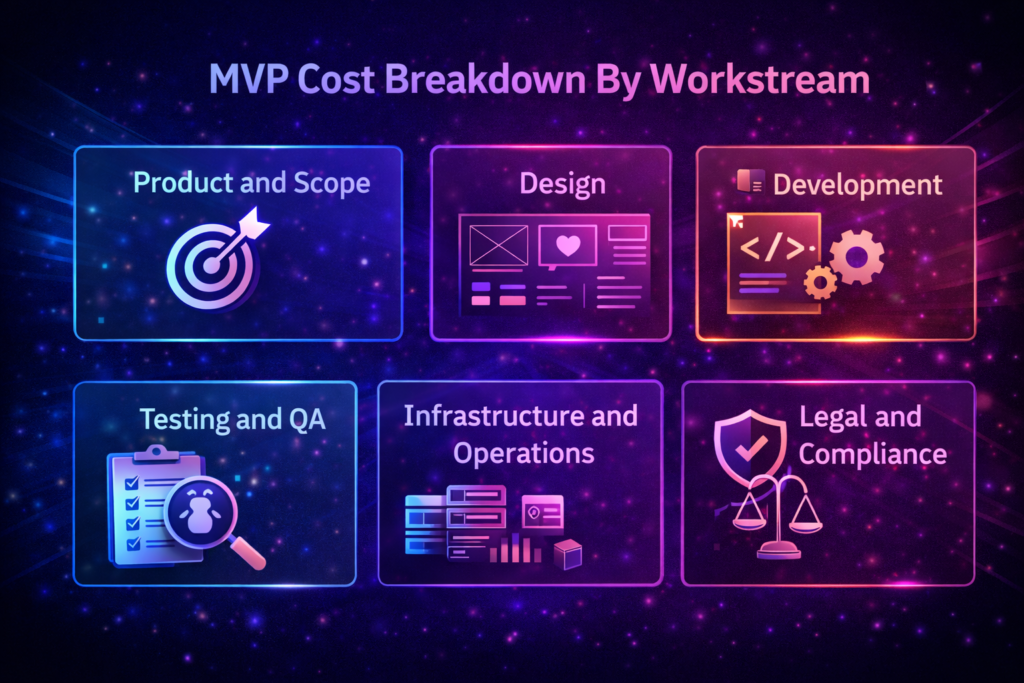
A useful budget is not one big number. It is a set of line items you can control. When founders miss their budget, it is usually because they only priced development and forgot everything around it. This breakdown helps you see where money goes and which parts tend to expand when scope creeps.
1) Product and scope
This includes discovery, requirements, user flows, and writing a clear version one scope. It sounds lightweight, but it saves money because it prevents paid rework later. If decisions are unclear, the team builds twice, once for the assumed scope and again after feedback.
2) Design
Design costs depend on how many screens you are designing and how many states each screen needs. If you only design the core workflow, design stays tight. If you design every edge case, admin view, and settings page up front, design grows quickly. A practical approach is to design the core path first, then add screens only when they become necessary.
3) Development
This is the biggest slice of the MVP cost breakdown. It includes front-end, back-end, APIs, database work, and basic analytics. Costs rise when you add roles and permissions, complex workflows, or heavy integrations. A simple way to control cost is to build one core workflow end-to-end, then expand only after you see real usage.
4) Testing and QA
QA is where many MVPs either earn trust or lose it. Even a small MVP needs core flow testing, edge case testing, and bug fixes that happen after the build looks “done.” Cutting QA usually creates support issues and rework that costs more than testing would have.
5) Infrastructure and Operations
These are common line items people forget:
- Hosting
- Domain
- SSL
- Email services
- Analytics tooling
- Monitoring.
They are rarely huge on day one, but they still need to be planned so you do not get surprised after launch.
6) Legal and Compliance
Even simple MVPs need basics like terms and privacy policy. If you handle payments, health data, kids, or regulated industries, compliance and security work can become a meaningful part of your budget. Listing requirements early helps avoid expensive late changes.
What Drives MVP Cost Up Fast
If you want to avoid budget surprises, you need to spot cost multipliers before the build starts. Most founders budget for the main flow only. Then the real costs show up in the details, unexpected user behavior, broken integrations, and the fixes required to make version one stable enough to ship.
A simple way to sanity-check your plan is to walk through version one step-by-step and count what multiplies effort.
- How many user roles do you need on day one?
- How many screens exist in the main path?
- How many third-party systems does the product depend on?
The more of these you add, the faster your budget climbs.
These are the choices that quietly push budgets up fast.
1) More Than One Workflow
One workflow stays predictable. Add a second, and you add screens, states, and test paths. Add a third, and you are building a small product suite. This is why MVP development cost jumps quickly, even when the feature list still looks short.
2) Integrations and Third-Party Dependencies
Integrations raise the cost to build an MVP because you do not control the other system. Permissions, rate limits, failing webhooks, and messy data formats create hidden work. Confirm access early and keep the integration list small in version one.
3) Roles and Permissions
Multiple roles often blow an MVP budget for startups because every role creates new screens, rules, and edge cases to test. Admin access and approvals multiply complexity fast. Start with one role in version one, then expand only after usage proves the need.
4) AI Features and Data Requirements
AI costs show up beyond the UI. Data prep, evaluation, monitoring, and guardrails add real effort, which expands your MVP cost breakdown even if the feature looks simple. If AI is not the core learning goal, launch the workflow first.
5) High Trust and Compliance Requirements
Compliance increases cost because it adds security work, documentation, stricter data handling, and heavier QA before launch. The best way to control this is to list requirements early and design version one around safe constraints, not late fixes.
6) Cross-Platform and Device Coverage
Launching on web, iOS, and Android at once multiplies building and testing. Device differences, OS behavior, permissions, and performance edge cases add time. If speed matters, start with one platform first, then expand after you see consistent usage.
A Practical Estimation Framework You Can Use Today
If you want a budget that holds up, do not start with a dollar figure. Start with the workflow you are shipping, then add only the multipliers that truly exist in version one. This keeps your estimate tied to reality, not optimism.
A good estimate is not about being precise to the dollar. It is about avoiding the mistakes that blow budgets later. This framework helps you separate must-haves from nice-to-haves, so you can budget for one usable workflow and make conscious decisions about what you are delaying instead of paying for it by accident mid-build.
Step 1: Write the One Workflow
Describe the user journey from start to first value in simple actions. Sign up. Set up. Do the core task. Get the outcome. If you cannot write the workflow in 6 to 8 steps, version one is probably too broad.
Step 2: Count Your Cost Multipliers
Tick only what you are actually including in version one.
- More than one user role
- More than one core workflow
- More than one major integration
- Payments
- AI features
- Compliance requirements
Every tick adds complexity, testing, and rework risk.
Step 3: Pick a Team Model
Your budget depends heavily on how you build.
- An in-house team gives control, but a higher fixed cost
- An agency or studio gives speed and a delivery structure
- Freelancers can be cheaper but require stronger management
Step 4: Add the Non-Dev Budget
This is where founders underbudget. Include QA, infrastructure, legal basics, and a buffer for fixes. This also becomes easier when you are setting a realistic build timeline before you commit, because time, rework, and testing are what turn scope into cost.
How to Reduce MVP Cost
The cheapest MVP is not the one with the fewest features. It is the one that reaches the first value fast and produces clean learning without rework. A lot of budget gets burned when teams skip choosing the right early build and try to solve clarity, feasibility, and adoption in one release, which quietly increases MVP development cost.
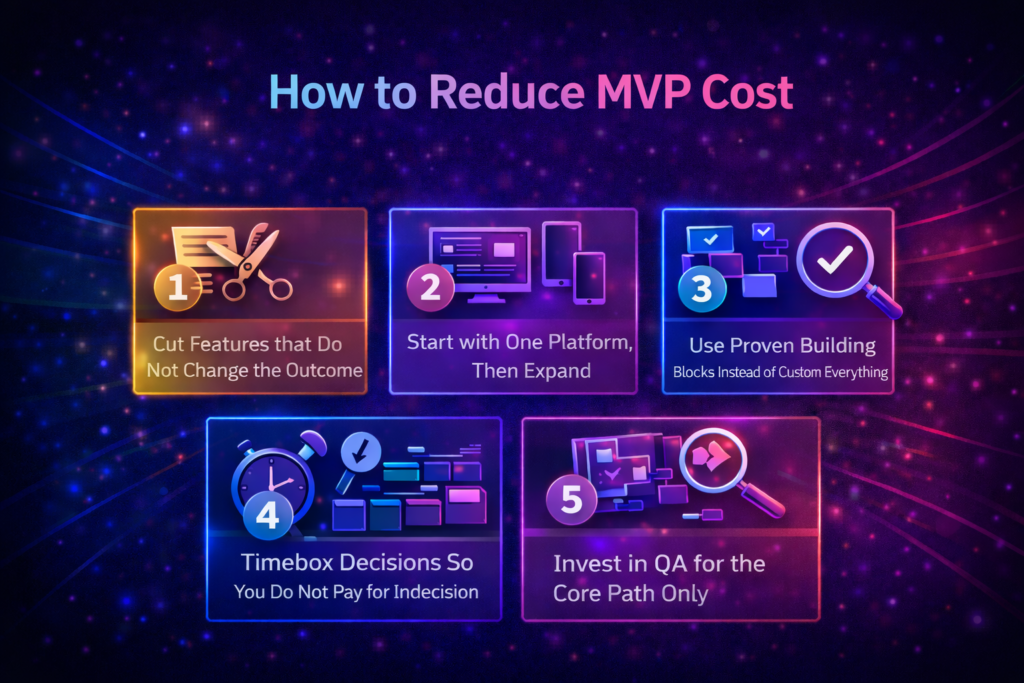
Here are a few ways that can help you reduce MVP cost.
1) Cut Features that Do Not Change the Outcome
Most overspending comes from building extras that do not improve adoption. Forbes, citing Pendo’s research, reported that 80% of features in the typical cloud software product are rarely or never used, which is exactly why trimming version one down to what proves the main assumption is usually the fastest budget win.
2) Start with One Platform, Then Expand
Shipping web plus mobile from day one multiplies effort and testing. If speed matters, pick the platform your users will actually use first, then expand after you see consistent usage and know what to optimize for.
3) Use Proven Building Blocks Instead of Custom Everything
Authentication, payments, analytics, and basic notifications do not need to be reinvented in an MVP. Using reliable off-the-shelf components reduces risk and reduces rework. Custom work is worth it only when it is tied to your core differentiator.
4) Timebox Decisions So You Do Not Pay for Indecision
Many budget overruns are decision overruns. When scope decisions drag, teams build partial versions, then redo work after alignment finally happens. Assign one decision owner and lock weekly checkpoints so feedback does not arrive all at once at the end, which is how an MVP budget for startups gets stretched without anyone noticing.
5) Invest in QA for the Core Path Only
You do not need enterprise-level testing everywhere. You do need the main workflow to feel stable. Focus QA on the core path and the most common failure points. That keeps trust intact without inflating the budget.
Quick Checklist Before You Set Your MVP Budget
Before you lock a number, do a quick reality check. This helps you catch the exact things that cause budget surprises later, usually scope creep, unclear ownership, and hidden line items. If you are estimating MVP development cost, you want these answers clear before anyone starts building.
- One user and one main job is defined
- Version one includes one core workflow end-to-end
- The success signal is clear and measurable
- Integrations are confirmed with real access, not assumptions
- Roles and permissions are minimal for version one
- Budget includes QA for the core path
- Budget includes infrastructure and basic legal needs
- A buffer is included for fixes and edge cases
Conclusion
In 2026, MVP development cost is less about a single number and more about the scope decisions behind it.
If version one includes one core workflow, minimal roles, and limited integrations, your budget stays predictable. If you add multiple workflows, heavy integrations, AI features, or compliance requirements, costs rise quickly because testing and rework multiply.
The most reliable way to budget is to define the workflow, count cost multipliers honestly, and include non-dev line items, like QA, infrastructure, and legal basics.
For most teams, a realistic MVP budget for startups comes from clarity up front, not cutting corners mid-build.
If you want a second opinion on scope before you commit, Novura can help you shape a version one plan that protects learning without burning budget.
FAQs
Q1. What is a realistic MVP development cost in 2026?
A1. A realistic MVP development cost often depends on complexity, but many MVPs land between $15,000 and $150,000. The biggest drivers are workflows, integrations, roles, and compliance needs.
Q2. Can I build an MVP for under $10,000?
A2. Sometimes, but usually only if the scope is extremely small, you use no-code tools, or you already have reusable components. For custom builds, budgets under $10k often force tradeoffs in quality, testing, or speed.
Q3. What costs do founders usually forget?
A3. QA time, infrastructure, analytics, legal basics, and post-launch fixes. These line items are not always large, but they are the common reason budgets feel higher than expected after the build is done.
Q4. Is AI worth adding in an MVP, or does it raise costs too much?
A4. AI can raise costs because you need data prep, evaluation, and monitoring. If AI is not the core learning goal, it can be smarter to validate the workflow first, then add AI once you see consistent usage.
Q5. Should I hire freelancers or an agency for an MVP?
A5. Freelancers can be cheaper but require strong coordination and clear specs. An agency costs more but usually provides the delivery structure, QA process, and project management that reduces rework risk.
Q6. How do I keep the MVP budget from rising mid-build?
A6. Lock version one scope, assign one decision owner, confirm integrations early, and use weekly check-ins to prevent late changes from creating expensive rework.