Most teams start voice automation with the wrong question.
They ask if an AI voice agent can replace support.
The better question is whether it can handle one repeatable call type safely, without damaging trust or creating more work for humans.
Voice is different from chat. People call when they want speed, clarity, and reassurance. They also get annoyed faster. If the agent misunderstands, talks too long, or traps the caller in loops instead of routing them to a human, you do not just lose a ticket. You lose confidence.
A smart voice rollout starts narrow. One intent. Clear guardrails. Clean handoff. Then you expand only after the calls are actually getting resolved.
An AI voice agent handles tasks over the phone by understanding what the caller wants, pulling context, and taking the next step, like checking an order or booking an appointment. A chatbot is better for simple text-based help and quick self-serve questions. Use voice when urgency is high, or the caller needs back-and-forth clarification. Avoid voice automation when you cannot offer a fast human handoff.
What An AI Voice Agent Is and What It Is Not
An AI voice agent is a system that can hold a phone conversation and complete a task, not just talk. The key difference is that it can connect to tools, pull the right context, and take an action like logging a ticket, checking an order, or scheduling an appointment.
It is not a magic receptionist that can handle every caller and every edge case on day one. The safest voice agents are scoped to one clear job, with rules for when to confirm, when to ask a clarifying question, and when to hand off to a human.
If you want the foundation first, it helps to understand what is an AI agent in real products, because voice is just the interface. The real value comes from the same core loop, context, action, and verification.
The Basic Call Flow
Voice feels simple on the surface, but the agent still needs a clear structure underneath. Without one, calls drag, callers repeat themselves, and the outcome becomes uncertain.
A reliable voice setup follows the same path every time. Here is the core flow that keeps the conversation focused and the result predictable.
1) Identify the Intent
Figure out what the caller is trying to do in one sentence.
2) Pull Context
Fetch the details needed to act correctly, like account info, order status, or policy rules.
3) Take the Next Action or Escalate
Complete the step inside a tool, or route to a human if the request is risky or unclear.
4) Confirm the Outcome
Repeat what happened and what will happen next, so the caller knows it is done.
AI Voice Agents vs. Chatbots
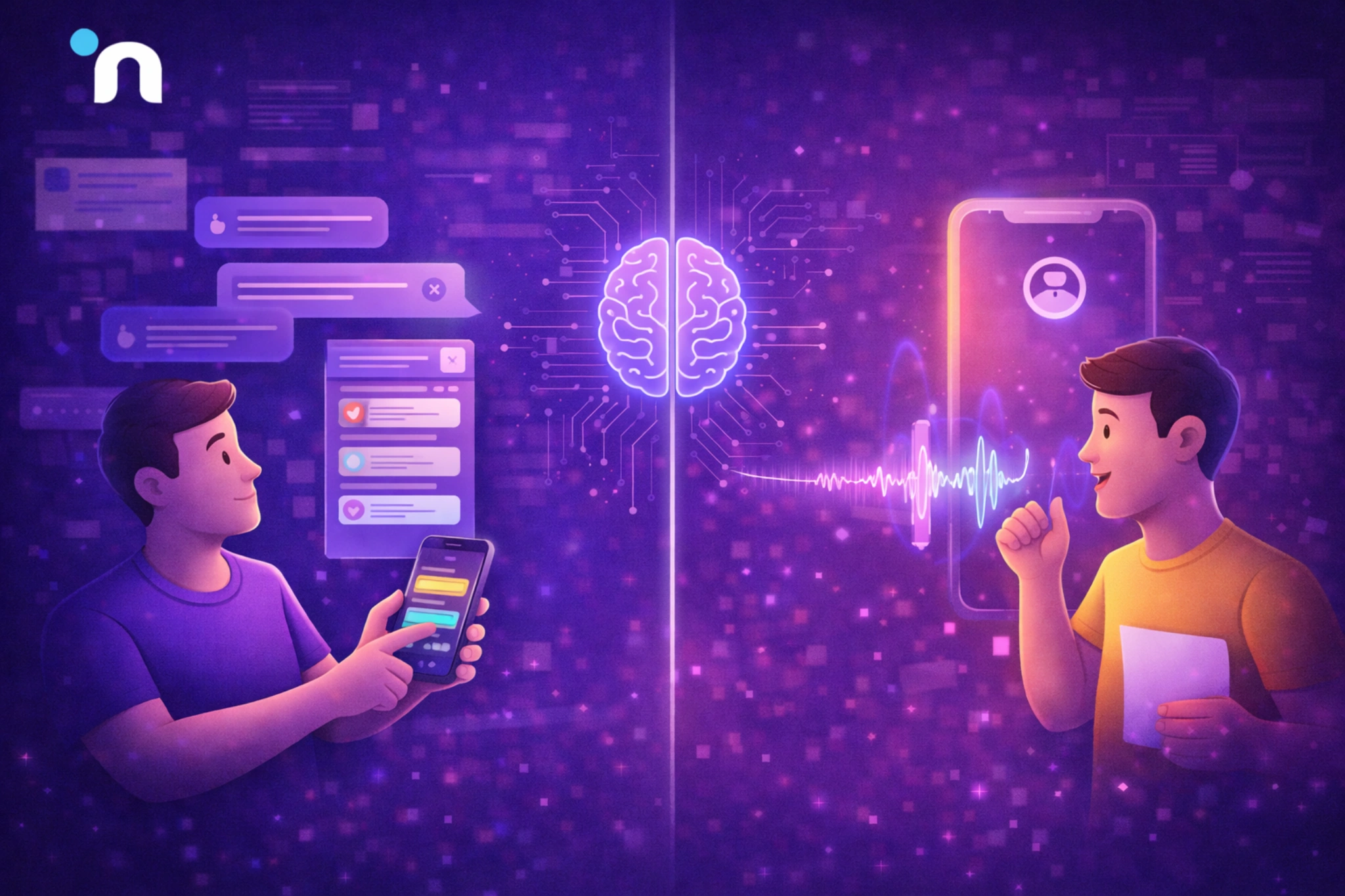
An AI voice agent and a chatbot can both automate support, but they win in different situations. The channel changes user expectations. On a call, people want speed and clarity. In chat, people tolerate menus, links, and quick self-serve steps.
A simple way to choose is to look at the job. If the user can solve it with a short answer or a guided form, chat is usually enough. If the job needs fast clarification, emotional reassurance, or identity context, voice tends to perform better. This same thinking of choosing the right early build keeps you from forcing voice where chat or automation would do the job.
Use a Chatbot When
- The user wants quick answers like policy, pricing, hours, or basic troubleshooting
- The request is low urgency and can be handled through links or steps
- The user prefers text and might be multitasking
Use an AI Voice Agent When
- The request is urgent, and callers expect immediate help
- The issue needs clarification before the right action is taken
- Account context matters, like order status, billing, or appointment changes
Why Trust is the Real Battle in Voice Automation
Voice is a higher-trust channel than chat. On a call, people assume the system understands them, respects their time, and can get them to a human fast when needed. If that breaks, they do not just abandon the flow. They remember the experience.
That matters because customers are already skeptical about AI in service. Gartner found that 64% of customers would prefer companies didn’t use AI for customer service, and 53% would consider switching if they found out a company was going to use AI for customer service.
The takeaway is not “never use it.”
The takeaway is to design AI call center automation around trust first, then scale.
The Three Trust Levers
1) Transparency and Fast Human Handoff
Make it obvious they are speaking to an AI, and make reaching a human easy. Nothing kills trust faster than feeling trapped.
2) Accuracy and Verification
The agent should confirm key details before it acts, like identity, order number, appointment date, or billing info. If it is unsure, it should escalate instead of guessing.
3) Tone and Speed
Callers care about pace and clarity. Keep responses short, avoid filler, and ask one question at a time. A calm, efficient voice bot earns more patience than a talkative one.
Real Use Cases that Work Today
The best voice automations are not the ones that try to replace agents. They are the ones that remove repetitive calls, collect the right details, and either complete the task or hand off with a perfect summary. That is where voice AI customer support delivers real value without risking customer trust.
1) Tier One Support Triage and Routing
The agent identifies what the issue is, gathers the right details, and then routes the call correctly.
- Detect intent and urgency
- Capture key info like order number or device model
- Route to the right queue with a clean summary
2) Order Status and Account Lookups
This is one of the safest starting points because the outcome is clear and easy to verify.
- Authenticate the caller
- Pull order or account status from the system
- Confirm the status and offer the next best step or escalation
3) Appointment Scheduling and Rescheduling
Scheduling works well when the agent has clear rules and calendar access.
- Ask a small set of questions to qualify the request
- Offer available slots and confirm selection
- Send confirmation by SMS or email and update the system
4) Collections and Billing Reminders
This can work, but only with strict guardrails and careful wording.
- Confirm identity and keep language compliant
- Offer a payment link or a callback option
- Escalate sensitive cases to a human AI phone agent team member
What to Measure So You Do Not Fool Yourself
A voice rollout can look successful on paper and still be failing in reality. Call volume might drop because callers hang up. Average handle time might improve because the agent is rushing. Even containment can look great if the agent is ending calls early. The goal is to measure outcomes and quality together, so you scale the right behavior.
This is where the discipline from MVP success metrics that actually matter after launch helps. Track a small set of metrics that tell you whether the agent is truly resolving issues, saving human time, and keeping customer experience intact.
Voice-Specific Metrics
- Containment Rate with Quality Checks
Track the percent of calls the agent resolves without a human, but always pair it with a quality review. Sample calls weekly and verify the outcome was correct, not just “completed.” A high containment rate is useless if it increases repeat calls, wrong refunds, wrong routing, or frustrated customers who call back immediately. - Escalation Quality
Measures whether handoffs are actually helpful. A good AI voice agent should pass the caller’s intent, key details, and what it already tried, so the human does not restart from zero. Track how often agents need to re-ask basic questions after escalation. That number reveals whether your summaries are working. - First Call Resolution and Repeat Calls
First call resolution tells you whether the caller’s problem was truly handled end-to-end. Pair it with repeat call tracking within 24 to 72 hours for the same issue. Repeat calls are one of the clearest signals that the agent is misunderstanding intent, missing context, or taking the wrong action, even when it sounds confident. - Time Saved Without CSAT Drop
Efficiency is only a win if trust stays intact. Track time saved per call, but read it alongside CSAT, complaint rate, and escalation sentiment. If time saved improves while satisfaction drops, callers feel rushed or unheard. That is a sign you are trading short-term efficiency for long-term churn and brand damage. - Fallback and Failure Rate
Track how often the agent cannot complete the request, hits a tool error, times out, or uses generic responses. This exposes the real blockers, missing permissions, broken integrations, or unclear flows. Segment failures by intent so you can fix the highest volume breakpoints first instead of making broad changes that do not move outcomes.
How to Pilot Safely in Two Weeks
A safe pilot is not about turning the voice on and hoping for the best. It is about proving one narrow call type works, measuring outcomes, and tightening guardrails before you expand. Treat your first AI voice agent like a controlled experiment, with a small scope, clear success criteria, and fast review loops.
A practical way to keep this disciplined is to borrow the same mindset from how to validate an MVP before you build and apply it to voice. Prove the workflow creates real resolution before you try to automate everything.
Week One
Pick the smallest call type that is high volume and low risk, then make it predictable.
- Choose one intent only, like order status, appointment reschedule, or basic triage
- Write guardrails, what it can do, what it must confirm, when it must escalate
- Build the script around short questions and clear confirmations
- Connect only the tools required for that one intent, nothing extra
- Test internally with messy inputs, accents, noise, interruptions, and edge cases
- Define success before launch, resolution quality, repeat calls, and clean handoffs
Week Two
Ship to a small slice, then improve based on evidence.
- Roll out to a limited group or a limited time window
- Monitor the full call journey, not just whether the call “completed”
- Review failures daily, misheard intent, wrong routing, tool errors, and caller frustration
- Tighten escalation so humans get a clean summary and next steps
- Expand gradually to adjacent intents only after the first one is stable
- Keep the experience consistent across voice AI customer support channels, so customers do not get mixed rules depending on how they contact you
Common Mistakes and How to Avoid Them
Most voice projects fail for the same reason. Teams try to scale too early, with too many intents, and not enough guardrails. A good AI voice agent feels boring in the beginning because it is focused, consistent, and safe.
Voice also magnifies small flaws. A confusing prompt, a slow response, or a messy handoff that might be tolerable in chat can feel unbearable on a call. These are the mistakes that show up most often, and the fixes that prevent them from becoming expensive.
- Replacing Humans Too Early
Many teams rush to “fully automate” support and lose trust instantly. Start by assisting, not replacing. Use voice to triage, collect details, and handle low risk intents. Keep humans for exceptions and sensitive cases. Expand only after repeat calls drop and escalation summaries are consistently useful to agents. - Too Many Intents on Day One
Coverage feels impressive, but it usually creates confusion. When you support ten intents early, the agent misclassifies more often, and callers get routed incorrectly. Start with one high volume, low risk intent, and make it excellent. Then add adjacent intents only when failure and fallback rates stay low. - No Clean Escalation Path
Escalation is part of the design, not a flaw. If callers cannot reach a human quickly, they feel trapped and hang up. Define clear escalation triggers, low confidence, policy edge cases, strong emotion, and always pass a structured summary. The goal is that the human continues, not restarts. - Letting the Agent Guess with Missing Context
Agents sound confident even when they are missing key information. If identity, account status, or order data is unavailable, the agent should ask one short clarifying question or escalate. Guessing leads to wrong actions, wrong promises, and repeat calls. Build checks that block risky actions unless required fields are confirmed. - Measuring Completion Instead of Resolution
A call can “complete” and still fail the customer. Completion may just mean the call ended, not that the issue was solved. Track first call resolution, repeat calls within 24 to 72 hours, and escalation quality. If repeat calls rise, your automation is creating work, not removing it. - Ignoring Speech Reality
Real callers interrupt, change topics, speak with accents, and call from noisy places. If you only test in perfect conditions, your pilot will collapse in production. Design short questions, confirm key details, and handle interruptions gracefully. Test with messy audio, fast speech, and unclear phrasing from day one. - Weak Tooling and Monitoring
Tool calls fail more than teams expect. APIs time out, permissions break, and data formats change. If the agent cannot detect failure, it will speak confidently while nothing updates. Log every action, track failure rates by intent, and review call samples weekly to catch silent errors before scaling.
Conclusion
A voice rollout works when it earns trust first, then scales. Start with one repeatable call type, keep permissions tight, and design a fast path to a human when the request is unclear or sensitive. Measure resolution quality, repeat calls, and escalation usefulness, not just containment.
If you treat your AI voice agent like a focused workflow product, you can reduce call load and improve speed without turning customer support into a gamble.
If you want help scoping a safe pilot and setting the right guardrails, Novura can help you get to a measurable rollout faster. We help you pick the right first call type, define escalation rules, connect the tools safely, and set up tracking so you can prove impact before you expand. Novura helps you ship voice automation that feels human, stays safe, and delivers measurable support outcomes from week one.
FAQs
Q1. What is the difference between an AI voice agent and a chatbot?
A chatbot helps in text. An AI voice agenthandles the same type of help over phone calls, using speech, call flow logic, and tool actions like lookups, ticket updates, or scheduling.
Q2. Are AI voice agents safe for customer support?
They can be, if you start with low-risk intents, strict permissions, and fast escalation. Safe pilots focus on triage, status checks, and scheduling, then expand only after you see clean resolution and low repeat calls.
Q3. How does AI call center automation connect to a CRM?
Through integrations and APIs. The system can pull customer context, log call summaries, update fields, create tasks, and route tickets, then confirm the update succeeded before closing the flow.
Q4. What should a voice bot do when it is unsure?
Ask one clarifying question or escalate quickly. It should not guess on identity, refunds, cancellations, or sensitive actions. Uncertainty handling is a trust feature, not a failure.
Q5. What is the fastest way to test a voice agent idea?
Pick one high-volume call type, write guardrails, connect only the required tool, then run a limited pilot for one to two weeks. Measure resolution quality, repeat calls, and escalation usefulness before adding more intents.