Most teams searching for how to build an AI agent are not trying to ship a clever chatbot. They are trying to stop a real workflow from leaking time, money, and trust. The trouble is that first attempts often start broad and fuzzy, so you get something that talks well but cannot finish the work, cannot use tools safely, and cannot explain what happened when the results look wrong.
A useful agent is narrower than people expect. It takes one job, runs it end to end, and knows when to pause, ask for clarity, or hand off. That is where a clean agentic AI workflow matters more than fancy prompting.
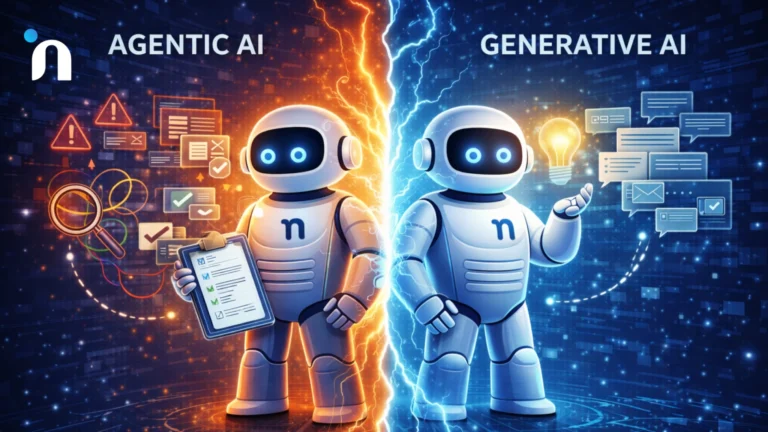
Many teams also pick the wrong approach because they judge the build by how smart it sounds, not by whether it completes a task. The practical difference between execution-focused systems and purely generative ones shows up fast when real tools, permissions, and checks enter the picture.
To build an AI agent, start with one narrow workflow that has a clear finish line, then design a minimum agentic AI architecture around it. Define what inputs it needs, what tools it is allowed to use, and what checks must happen before any action is taken. Choose between lightweight scripts or AI agent frameworks based on complexity and risk, then test in a small pilot and expand only after the agent proves it can complete the job reliably.
Start With One Job, Not a General Assistant
If the agent does not have a single job, it will drift into being a chat layer that feels helpful but rarely finishes work. The fastest path is to pick one workflow that already hurts, then design around completion. This is also where teams get clarity on inputs, tools, approvals, and the moments where a human must step in. Teams that understand how an AI agent works under the hood tend to make better early choices because they design for real execution, not just polished responses.
Pick the Workflow and Finish Line
When you are figuring out how to build an AI agent, start by choosing a workflow where the current process is repetitive, has clear steps, and produces an outcome you can verify. Good candidates usually have a stable system of record, a consistent handoff, and a clear point where work slows down or gets stuck.
A few high signal examples that tend to work well early
- Customer support triage that routes and tags tickets correctly in your helpdesk
- Lead enrichment that pulls firmographic data and updates your CRM with traceable sources
- Invoice follow-up that drafts outreach, schedules reminders, and flags exceptions for review
- Internal IT requests that collect missing details, create tickets, and notify the right owner
Keep the finish line measurable. A finished workflow means a ticket is routed, a record is updated, or a request is completed, not just that a response was generated.
Define What Done Means in One Sentence
Write a single sentence that the whole team can agree on, then build everything around it. This sentence becomes the contract for your agentic AI workflow, and it prevents scope creep disguised as new features.
One clean pattern is to state the action, the system, and the required checks.
Done means the agent updates the account record in the CRM, logs the source, and escalates to a human if confidence is below the threshold.
The Minimum AI Agent Architecture
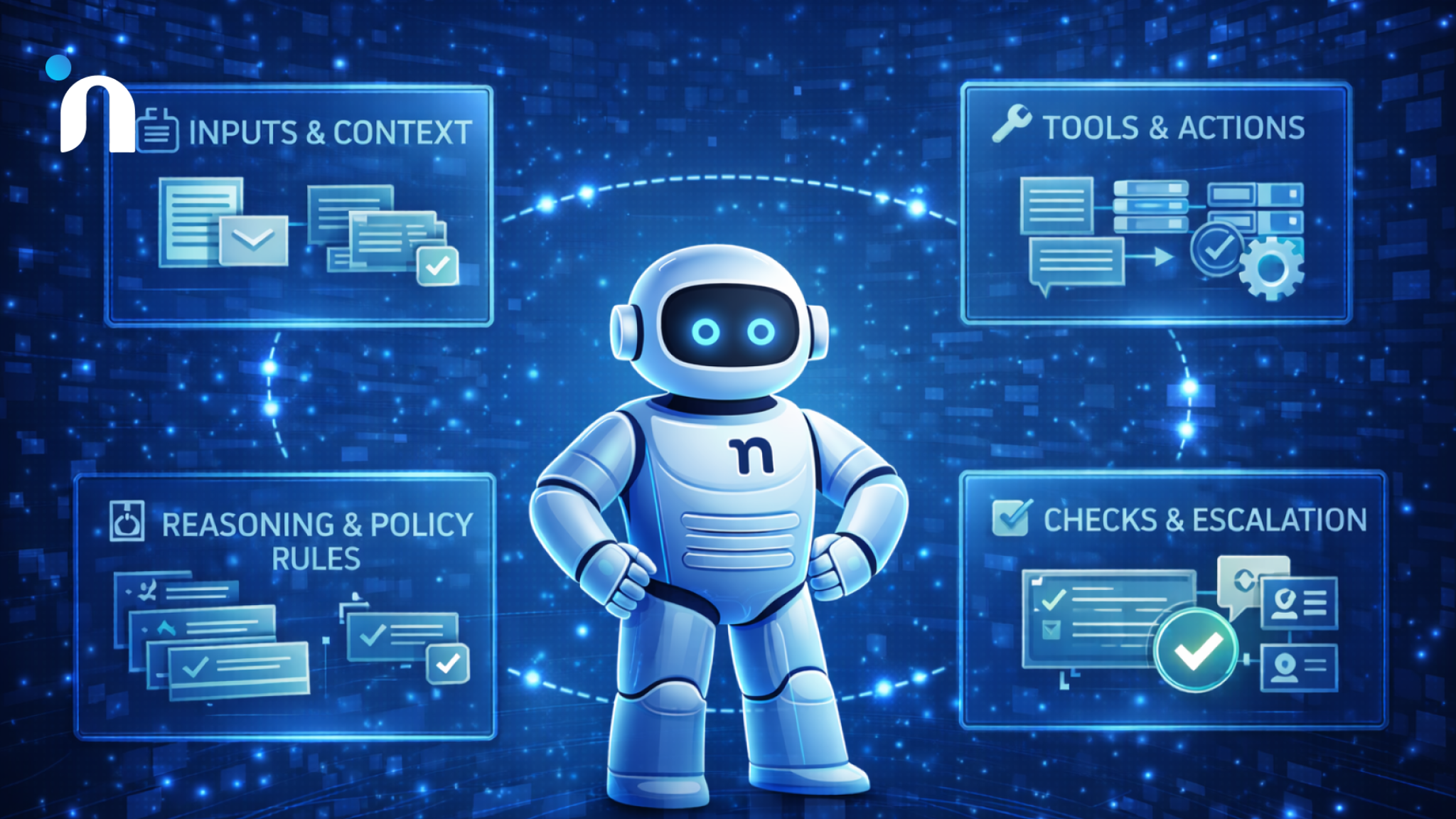
You do not need a complex system to start, but you do need a complete loop. The minimum setup has four parts that work together so the agent can understand the task, decide what to do, act safely, and prove what happened. This is the difference between a demo and something you can trust in operations. When people ask how to build an AI agent that actually ships outcomes, this loop is the foundation.
Inputs and Context
Start by defining what information the agent can see and when it can see it. Inputs usually come from a form, a ticket, an inbox, a chat thread, or an API event, but the agent still needs context to act correctly.
Context should be intentional and scoped to the job. Give it the minimum relevant history, the right customer or account fields, and any constraints that change the decision. If context is messy, the agentic AI workflow will either stall on missing fields or take guesses that create cleanup work later.
A clean input contract often includes
- The trigger event and required fields
- The source of truth for each field
- The allowed context window, like the last 10 messages or the last 30 days of activity
- What to do when a field is missing, including what question to ask
Reasoning and Policy Rules
The agent needs a decision layer that can choose the next step and stop itself when it should not proceed. This is where you turn a vague assistant into an execution system with boundaries you can explain.
A practical way to keep this clean is to separate task planning from policy evaluation, then add a fallback path that asks a human or collects missing input. Many AI agent frameworks include patterns for this separation, but the underlying idea stays the same even if you implement it yourself.
This boundary tends to click once you compare systems that produce language to systems that complete verified actions, which is mapped clearly in agentic AI vs generative AI.
Tools and Actions
Tools are what make the agent useful. A tool can be an API call, a database query, a CRM update, a calendar action, or even a retrieval step that pulls from internal knowledge.
Tool design is where many builds fail quietly. Too much access creates risk, and too little access forces humans to copy-paste. Choose tools that directly move the workflow forward and keep the surface area small.
When selecting agentic AI tools, sanity check three things
- The tool has predictable outcomes and clear error states
- Actions are reversible where possible, like draft before send
- Permissions match the smallest role needed for the job
Checks and Escalation
Every agent needs checks that confirm it is on the right track and escalation rules for when it is not. Without checks, the agent can confidently complete the wrong task, and you will not notice until the damage lands downstream.
Checks can be basic, like validation of required fields, or stronger, like verifying a record update by reading it back. Escalation rules should be specific, including when to pause, what to summarize, and who gets the handoff. This is a core part of agentic AI architecture because it determines whether the system behaves like software you can trust or a black box you babysit.
A solid escalation design includes
- Confidence thresholds that trigger review
- A short decision summary for the human reviewer
- The exact state needed to resume the workflow
- A clear stop condition that prevents repeated looping
Choosing the Right Stack
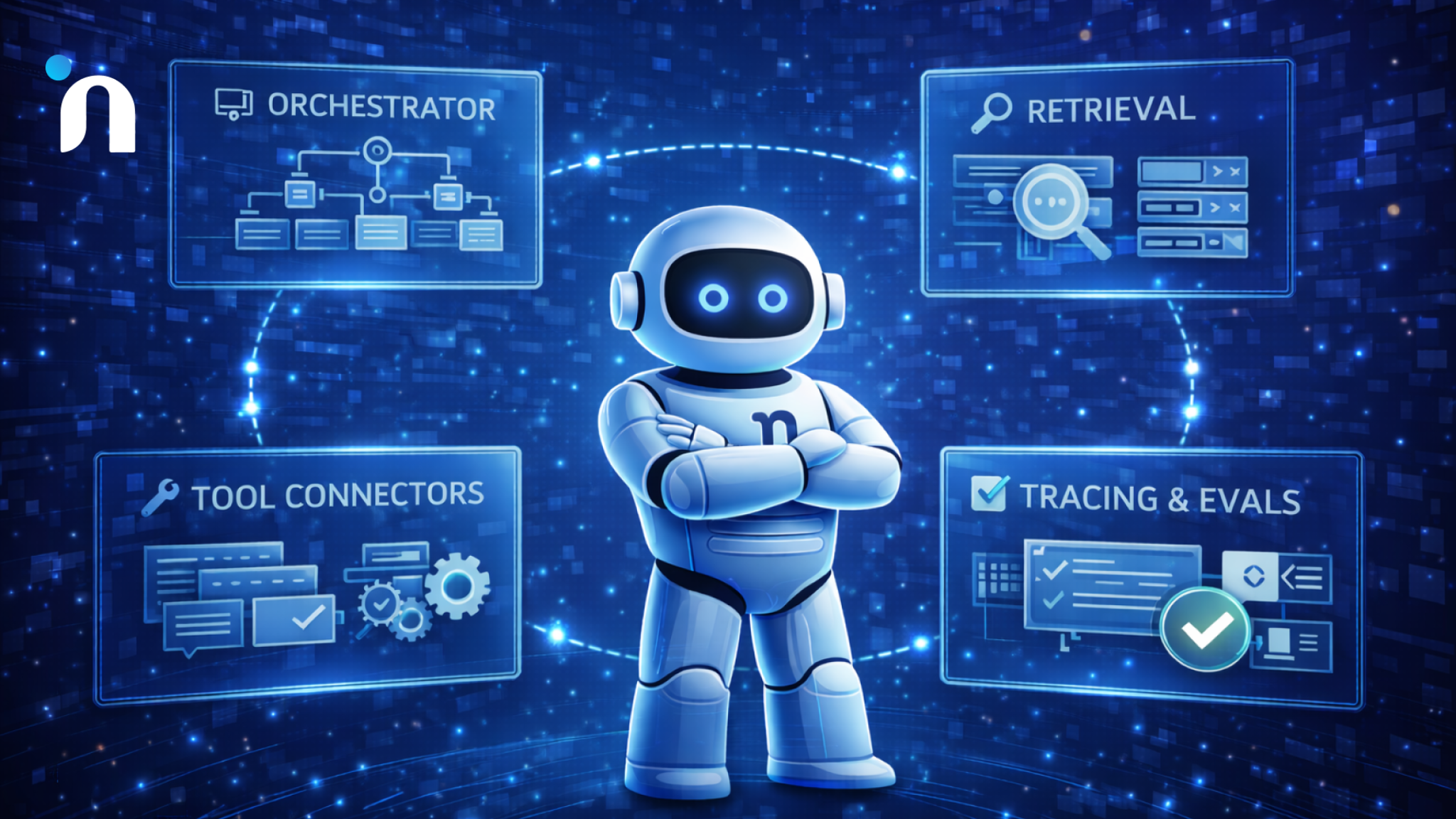
When teams ask how to build an AI agent quickly, the real question is how much structure you need on day one. The wrong stack either slows you down with complexity you will not use, or ships something fragile that collapses the moment a real edge case shows up. Pick the simplest approach that still supports your workflow, permissions, and testing needs. The mindset behind choosing the right early build applies here too, because early stack decisions should make iteration easier, not heavier.
Most stacks boil down to the same layers: an orchestrator that runs the workflow, tool connectors for the systems you touch, retrieval for context, and tracing plus evals so you can see what happened and improve it. The exact products matter less than whether you can control permissions, replay failures, and measure outcomes.
When a Framework Helps
A framework is worth it when the agent has multiple steps, needs reliable tool calling, and must keep state across turns. This is where AI agent frameworks can save you time because they give you battle-tested patterns for routing, memory, tool wrappers, and structured outputs.
Frameworks tend to pay off when you need a few of these at once:
- Multi-step plans that must resume after interruptions
- Several tools with different permission levels
- Parallel tasks like search, plus enrichment, plus record update
- Reusable templates across more than one agent job
If your agent is going into production workflows fast, prioritize frameworks that make observability and evaluation easy. You want to see what the agent tried, what it called, what it received back, and why it chose the next step.
When Simple Orchestration is Enough
If the job is linear and the tool surface is small, you can get very far with a thin orchestration layer. A straightforward runner that does retrieve, decide, act, and verify is often all you need to ship a useful first version. In that setup, your main focus is the contract around inputs, tool calls, and checks, which is the heart of a clean agentic AI architecture.
Simple orchestration works best when:
- One primary tool does most of the work
- The task can be completed in a short sequence
- Failure cases are obvious and easy to route to a human
- The agent does not need long-lived memory to succeed
The key is discipline. Keep the logic explicit, make tool calls deterministic where possible, and verify outcomes by reading back the system state after actions complete.
Tooling that Makes Agents Useful
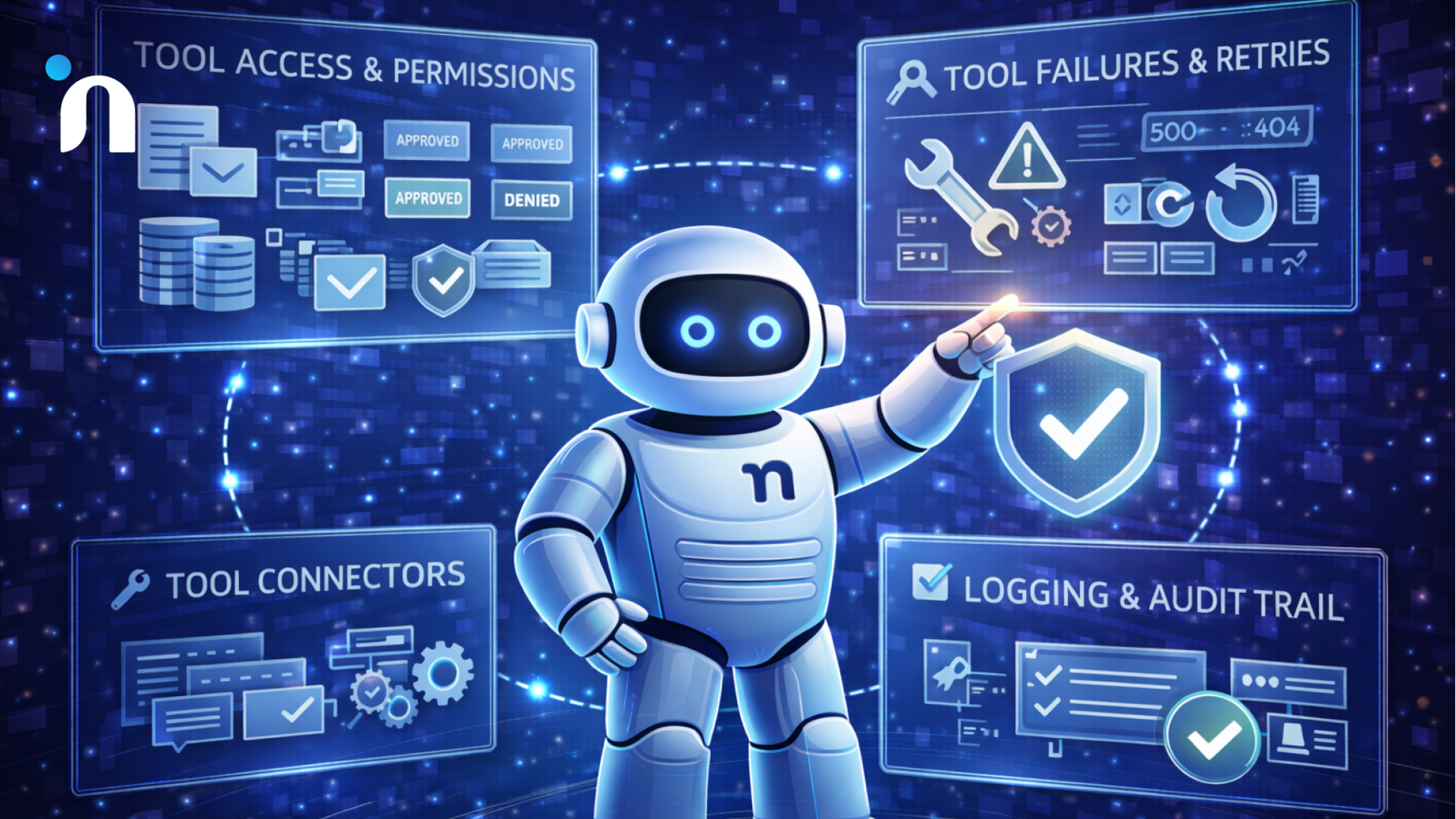
Tooling is where a promising prototype becomes a reliable worker. The real work in how to build an AI agent that finishes tasks is designing tools, permissions, retries, and logs. It is also where most early builds break in production, not because the model is weak, but because the system around it is loose. Without clear permissions, the agent cannot act confidently, and with too much access, it can create damage fast. A solid setup assumes tools will fail, data will be incomplete, and every important action must be traceable after the fact.
Tool Access and Permission Design
The agent should only see and do what the job requires, nothing more. This is where agentic AI tools either keep you safe or quietly create risk, depending on how you wire access.
Design permissions like roles, not like a shared admin key. Separate read access from write access, and separate safe actions from actions that can create irreversible outcomes. The access model also changes depending on whether you are building something that speaks or something that executes, which is why teams that plan around where voice agents fit vs chatbots usually get permission boundaries right earlier.
A practical permission design usually includes:
- Read-only retrieval for context, like customer status and history
- Scoped write access limited to specific fields or objects
- Approval gates for actions that touch money, identity, or external messaging
- A deny list of systems the agent cannot access at all
Tool Failures and Retries
Tool calls fail in real life. APIs time out, permissions change, records get locked, and rate limits spike. This is the moment where the question how does agentic AI differ from generative AI stops being theoretical, because one approach can recover and complete the workflow while the other often just explains the failure in words.
Give each tool a clear retry strategy. Use a short retry for temporary issues, then escalate with a crisp summary when the failure persists. Make the agent confirm the target state after any write, so you do not assume success just because a request returned a 200.
Common patterns that reduce damage fast:
- Backoff retries for timeouts and rate limits
- One re-fetch before acting again if data may have changed
- Safe fallback paths, such as creating a task for a human owner
- Stop conditions that end the run after repeated failures
Logging and Audit Trail
If you cannot explain what the agent did, you cannot improve it or trust it. This is a core part of agentic AI architecture because logs become your debugging tool, your compliance record, and your source of truth during incidents.
Log the inputs, the plan, the tool calls, and the final outcome in a structured way. Store enough detail to reproduce a run, but avoid logging sensitive data that you do not need. When an agent hands off to a human, include a short rationale and the exact state required to resume.
A strong audit trail typically captures:
- Trigger event and key context fields
- Decisions made and the rule or policy that shaped them
- Tool calls with parameters and responses
- Final state verification and any escalation notes
Guardrails that Prevent Expensive Mistakes
Guardrails are the difference between an agent that helps and an agent that creates cleanup work at scale. When teams learn how to build an AI agent for real operations, they usually discover that the risky part is not the model, it is what the system is allowed to do when inputs are messy and outcomes are hard to reverse.
Human behavior is still the biggest source of avoidable failure. Verizon’s 2024 Data Breach Investigations Report found that 68% of breaches involved a non-malicious human element. Guardrails reduce the odds that an agent amplifies those mistakes through the speed and reach of automation.
Human Handoff Rules
A strong agentic AI workflow includes explicit moments where the agent must stop and hand control to a person. These handoffs should not feel like a failure mode. They should feel like the system is doing the safe thing by design.
Define handoffs around uncertainty and impact. If the agent cannot confidently identify the right record, cannot reconcile conflicting inputs, or is about to trigger an external consequence, it pauses and packages the situation for review.
Good handoff rules often include:
- Low confidence on identity, intent, or eligibility
- Conflicting data between systems of record
- Anything involving refunds, access changes, or legal commitments
- Messages that would go to a customer or partner
Safe Actions vs Risky Actions
Guardrails get practical when you separate actions by risk and enforce the difference in code. This is where agentic AI tools should be wired to support draft-first behavior, approval steps, and limited scopes for writes.
Safe actions are reversible and easy to verify, like drafting a response, creating a task, or adding internal notes. Risky actions change money, permissions, or external communication, and they should require stronger checks before execution.
A simple approach is a two-tier action policy:
- Safe tier that can run automatically with read-back verification
- Risk tier that requires approval, stricter validation, and detailed logging
Monitoring and Incident Response
Once an agent is live, you need monitoring that tells you when outcomes drift, not just when systems error. This is part of an agentic AI architecture because you are operating a system that makes decisions, not just a script that runs commands. Teams that map agents around department-specific AI agent use cases usually end up with clearer owners and cleaner success signals, which makes monitoring far less noisy.
Track outcome metrics that reflect the job, like completion rate, escalation rate, reversal rate, and time-to-resolution. Set alerts for sudden changes in those metrics, then keep an incident playbook that defines how to pause runs, roll back access, and review recent logs quickly.
A solid incident response setup usually covers:
- A kill switch that can stop the agent instantly
- Alerts tied to outcome drift and repeated failures
- A review queue for high-impact actions
- A post-incident review that turns the failure into a new rule or check
How to Test and Iterate Without Guessing
Most failures happen after the first demo, when real inputs hit the system and edge cases pile up. If you care about how to build an AI agent that holds up in production, testing is what turns assumptions into measured results. The key is to test the same way the agent will operate in the wild, with messy data, partial context, and tool failures.
Always remember, small tests beat big launches.
Offline Tests
Before you put the agent in front of real users, run it through offline scenarios that mirror the workflow end-to-end. Build a test set from real past tickets, calls, or requests, then strip sensitive fields and label what the correct outcome should be. This is where agentic AI architecture pays off, because clear inputs, clear checks, and clear escalation paths are much easier to evaluate.
Mix easy and hard cases on purpose. Include missing fields, conflicting records, and situations where the correct action is to stop and ask a human. Track completion quality, not just completion speed, and log the specific step where runs go off-track so you can tighten rules instead of adding more prompting.
Small Pilot
A pilot is not a launch. It is a controlled environment where you limit scope, watch decisions closely, and learn what breaks before the system earns trust. If you already have repeatable patterns through AI agent frameworks, use that structure to create a review queue, capture traces, and force approvals for higher-impact steps.
Treat the pilot like product validation. The same mindset as validating an MVP before you build applies here, because you are testing whether the workflow actually improves outcomes, not whether the agent sounds smart. Set a short pilot window, define the success metrics in advance, and decide what would make you stop the pilot early.
Expand Scope Gradually
Once the pilot is stable, expand in one dimension at a time. Add one new ticket type, one new tool, or one new customer segment, then re-run the same test and monitoring checks. This keeps change reviewable and protects you from accidental regressions when you add new capabilities to agentic AI tools.
Scale should follow reliability. When you expand, update your deny lists, approval rules, and rollback options first, then increase volume. If outcomes drift, pause expansion and tighten the workflow contract before you add anything new.
Conclusion
Most teams get stuck because they aim for a general assistant and end up with something that talks well but cannot complete work safely. The practical path for how to build an AI agent is narrower and more disciplined. Pick one workflow, define done, wire only the tools you need, and prove reliability through checks, handoffs, and monitoring.
When the basics are solid, iteration becomes predictable. You can add new tools, expand scope, and improve performance without turning the system into a black box. That is what makes an agent feel like a dependable part of operations, not a fragile experiment.
If you want a safe pilot that connects the build to measurable outcomes, Novura can help you scope the workflow, define what done means, and design the system around reliable completion. We build the core architecture, integrate the right tools with tight permissions, and set up testing, logging, and monitoring so you can iterate without guesswork.
We also help you make clean decisions on agentic ai vs generative ai so you choose the simplest approach that still holds up in production. If you have a workflow that keeps getting stuck, we can turn it into a focused pilot and prove impact fast.
FAQs
Q1. How long does it take to build an AI agent that is actually useful?
A first version can ship fast if the job is narrow and the tools are simple. The timeline usually depends on tool access, data quality, and how strict your checks and approvals need to be.
Q2. What is the minimum design needed for a production-ready agent?
A reliable baseline includes inputs and context, decision rules, tool actions, and verification plus escalation. That core agentic AI architecture is what keeps the agent from guessing when the workflow gets messy.
Q3. Do I need a framework to build an AI agent?
Not always. For linear workflows, simple orchestration can be enough. AI agent frameworks help most when you need state, routing, structured tool calling, and evaluation patterns you can reuse.
Q4. What is the difference between agent behavior and a chatbot?
A chatbot mainly generates responses. An agent runs a workflow, calls tools, and verifies outcomes through a defined agentic AI workflow with clear stop and handoff rules.
Q5. Which tools matter most at the start of building an AI agent?
Start with only the systems that move the job forward, like your helpdesk, CRM, or ticketing tool. Choose agentic AI tools that have predictable outcomes, clear error states, and safe permission boundaries.
Q6. How do you prevent risky actions from going live?
Use role-based permissions, draft first behavior where possible, approval gates for high-impact actions, and read-back verification after updates. That combination is usually more effective than adding more prompts.
Q7. How do you know if the AI agent is improving over time?
Track completion quality, escalation rate, reversals, and time to resolution. If those improve while incidents stay low, your build is getting healthier, and your monitoring is doing its job.
Q8. What is the biggest mistake teams make when learning how to build an AI agent?
They start too broad and optimize for how smart it sounds instead of whether it reliably completes one job with checks, safe tool use, and clear escalation.